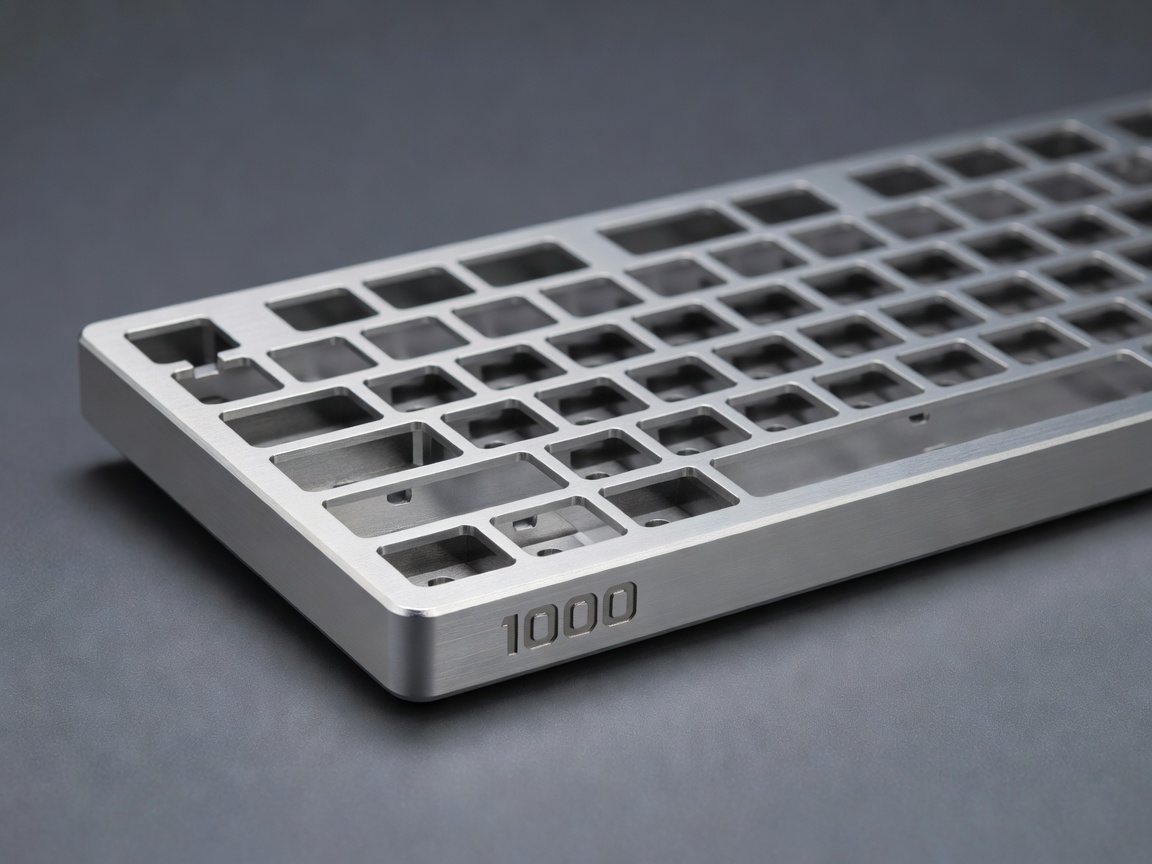
The Chassis: Case Materials
The case serves as the foundational structure of any mechanical keyboard. Beyond mere aesthetics, the material and density of the case dictate how sound waves propagate from the switches and reverberate before reaching your ears.
Aluminum
CNC-machined aluminum is the standard for premium custom keyboards. It provides an undeniably hefty, premium feel that prevents the board from sliding on your desk. Acoustically, aluminum creates a solid, higher-pitched resonance. Because it is rigid, it offers virtually no typing flex on its own, relying entirely on the plate and mounting system to provide a softer bottom-out feel.
Polycarbonate (PC) and Acrylic
Polycarbonate is a durable plastic favored for its acoustic properties and translucency. It produces a deeper, lower-frequency sound profile (thock) compared to aluminum. Its slight natural flexibility can also contribute to a softer typing experience. Acrylic offers similar aesthetic benefits for under-glow RGB setups but is generally more brittle and prone to scratching than PC.
Mounting Styles
How the inner assembly (the plate and PCB) attaches to the outer case is called the "mounting style." This connection is the single biggest factor in the "feel" of a keyboard, determining whether a board feels stiff and harsh or bouncy and cushioned.
Tray Mount
The simplest and oldest method, commonly found in entry-level 60% keyboards. The PCB is screwed directly into standoffs fixed to the bottom case. This results in a stiff typing feel that is notoriously inconsistent—keys directly above a standoff feel incredibly rigid, while keys further away exhibit slight flex.
Top Mount
A massive leap in quality over tray mount. The switch plate features mounting tabs that are screwed directly into the top half of the keyboard case. The assembly hangs suspended above the bottom case. This provides a very consistent typing feel across the entire board and a clean, predictable acoustic profile.
Gasket Mount
Currently the most popular mounting style in the enthusiast space. Strips of compressible material (such as Poron foam or silicone) are placed between the plate and the case. The assembly is entirely isolated from hard metal contact. This absorbs typing vibrations, resulting in a significantly muted, refined sound and a bouncy, cushioned typing feel that reduces finger fatigue.
The Switch Plate
The plate sits above the PCB and holds the switches firmly in place. Its material influences both the sound and the stiffness of the typing experience.
- Brass and Copper: Heavy, dense metals. They provide an extremely stiff typing feel and a very high-pitched, resonant sound signature. Often chosen for their premium aesthetic when viewed between keycaps.
- Aluminum: The versatile middle ground. Stiff but not harsh, with a balanced acoustic profile. It is the default recommendation for most builds.
- FR4 (Fiberglass): The same material used for the printed circuit board (PCB) itself. It offers moderate flexibility and a snappy, sharp sound profile.
- Polycarbonate and POM: Highly flexible plastics. When paired with a gasket mount, these plates offer dramatic flex and a very soft bottom-out. They excel at deepening the sound of the keyboard.
In modern designs, you will also see "flex cuts"—precise slits routed into the plate (and sometimes the PCB) to artificially increase flexibility and isolate the movement of specific clusters of keys.