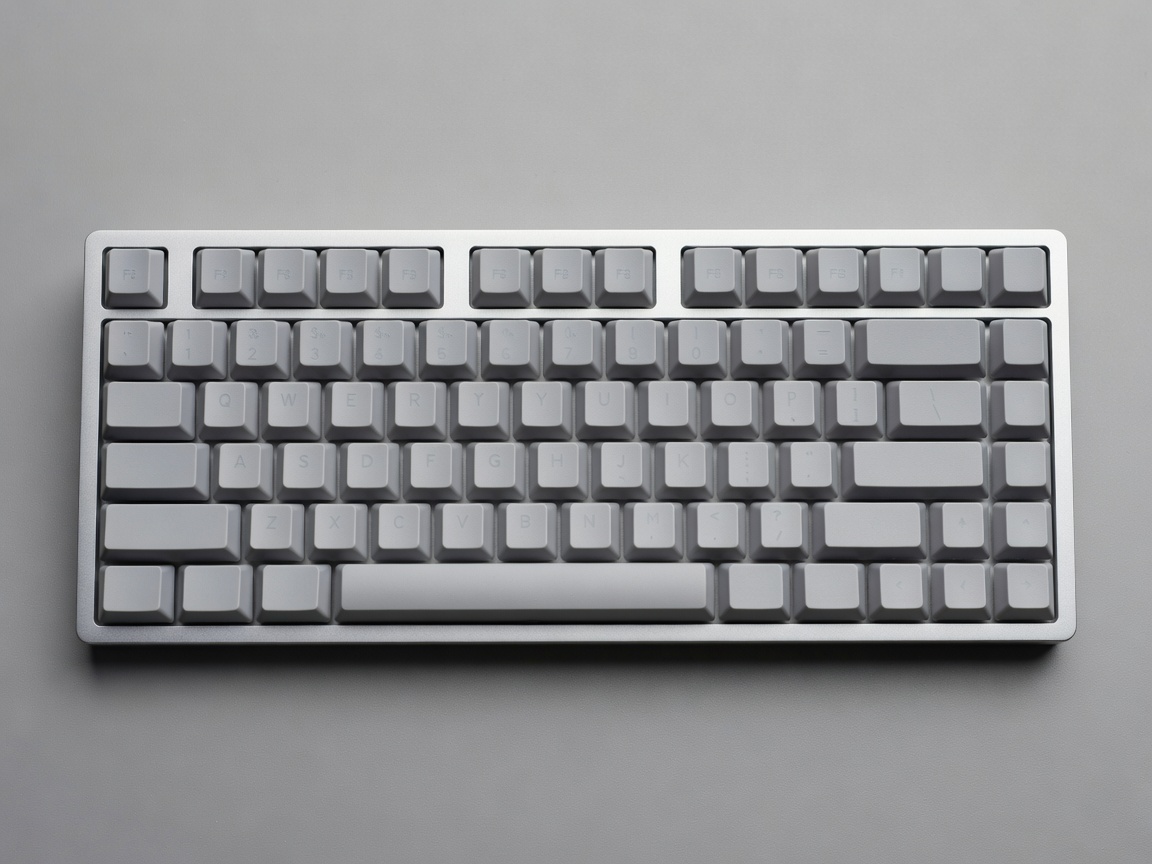
The Philosophy of Form Factors
When entering the custom mechanical keyboard hobby, one of the most immediate shocks is the realization that the standard, massive 104-key board is just one option among dozens. Custom keyboards embrace minimalism, stripping away physical keys in favor of programmable layers. This reclaims precious desk space, allowing the mouse and keyboard hands to sit closer together, which dramatically improves ergonomic posture.
Standard Layout Sizes
Full-Size (100%)
The traditional keyboard layout. It includes the alphanumeric cluster, the function row (F1-F12), the navigation cluster (Home, End, arrow keys), and a dedicated numeric pad. While excellent for data entry professionals, its massive footprint is considered highly unergonomic for gaming and general use, leading to shoulder strain over long periods.
Tenkeyless (TKL / 87%)
The logical first step down. A TKL is exactly what it sounds like: a full-size keyboard with the numeric pad chopped off. It retains the function row and dedicated navigation cluster. It requires zero learning curve to use while saving several inches of horizontal desk space.
The 75% Layout
A masterclass in efficiency. The 75% layout takes the keys of a TKL and squashes them together, eliminating the empty gaps between the alphas, F-row, and arrows. You retain dedicated function keys and arrow keys in a footprint barely larger than a standard laptop keyboard.
The 65% Layout
Perhaps the most popular form factor in the enthusiast community. The 65% layout completely removes the top Function row—accessing F1 through F12 requires holding a "Function" (Fn) key and pressing the number row. However, it preserves dedicated physical arrow keys and a column of essential navigation keys (like Delete and Page Up/Down) on the right side.
The 60% Layout
Pure, unapologetic minimalism. The 60% layout consists only of the alphanumeric block. There is no F-row, no number pad, and crucially, no dedicated arrow keys. Every function outside of standard typing is accessed via programmable layers. While intimidating at first, users often find that having arrow keys bound to WASD or IJKL (accessed by holding a thumb key) means their hands never have to leave the home row, resulting in blisteringly fast workflow.
Ultra-Compact and Ergonomic
40% Layouts
For the truly brave. A 40% keyboard removes the number row entirely. Typing numbers or symbols requires extensive use of layers. These boards are incredibly portable and rely on sophisticated firmware to interpret taps, holds, and multi-key chords.
Alice and Arisu Layouts
Ergonomic keyboards designed to fix the unnatural ulnar deviation caused by standard staggered keyboards. The Alice layout splits the alphanumeric block down the middle and angles the two halves inward, allowing the wrists to rest in a straight, natural posture. It requires learning proper touch-typing technique, as reaching across the center gap with the wrong hand is impossible.
PCBs and Firmware
The Printed Circuit Board (PCB) is the brain of the operation. Custom PCBs are highly programmable. Programs like VIA or QMK allow you to flash firmware directly onto the board's microcontroller. This means you can remap any key, create complex macros, or assign multiple layers of functionality natively on the hardware. The keyboard remembers your settings, meaning you can plug it into any computer without needing to install background software.